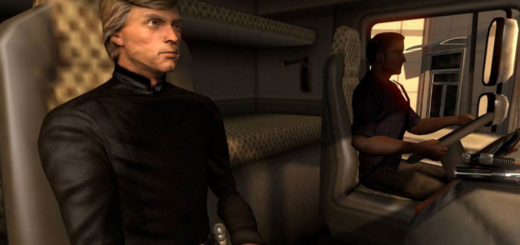
Road Trip Ford Cabin Lights v1.0 ATS


Road Trip Ford Cabin Lights v1.0 ATS
Adds colored cabin lighting to all four Road Trip: Ford vehicles: F-150, Bronco, Mustang and Crown Victoria.
Available colors:
Neon Orange, Red, Blue, Green, Purple, Pink, Cyan and Ice White.
Installation:
1. Enable the mod in Mod Manager and disable other Road Trip Ford cabin-light mods.
2. Visit a service shop and open the vehicle upgrade menu.
3. Open Interior Options and select your factory trim with your preferred color and activation mode.
4. Confirm the purchase.
Activation modes:
Headlights: Cabin lighting turns on with your parking lights or headlights.
Beacon: Use your assigned beacon key to turn the cabin lighting on and off. This also controls other beacon linked accessories.
Requires ATS 1.61 and the Road Trip: Ford DLC.
Credits: Codeman91
How to install ETS2 mods or ATS Mods
In Euro Truck Simulator 2 it’s easy to install mods. You just need to download mod from here, copy/unzip files into: “My Documents\Euro Truck Simulator 2\mod” folder or if you play ATS please install mods to: “My Documents\American Truck Simulator\mod” folder. To unzip files you can use: WinRAR or 7zip. After that you need to activate the mods you want to use.