Scania NG Improved Dashboard v1.60 ETS2
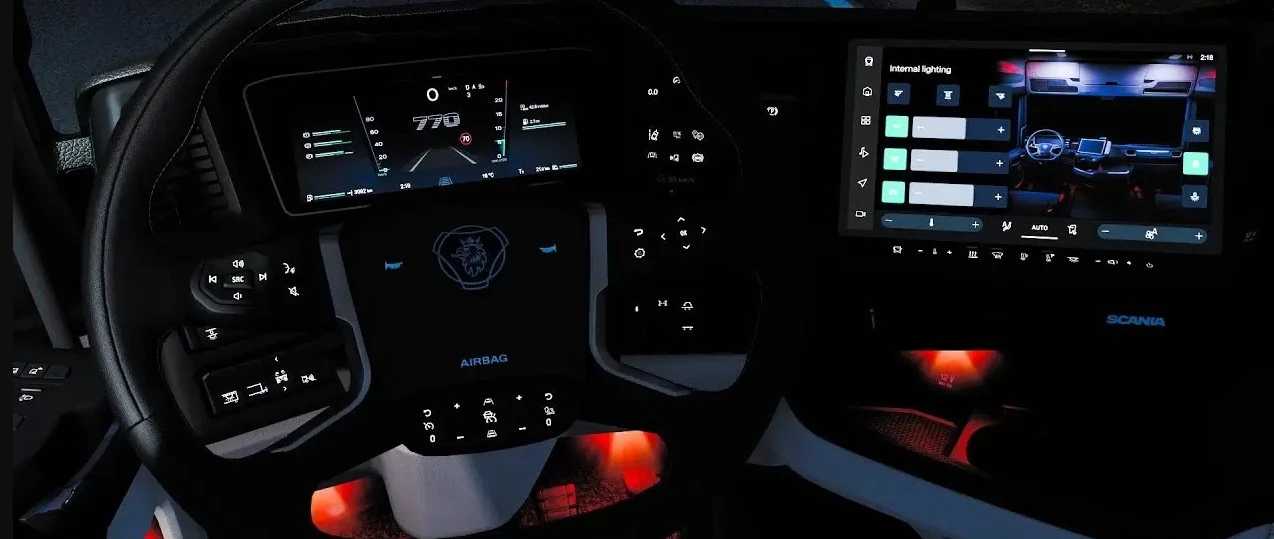

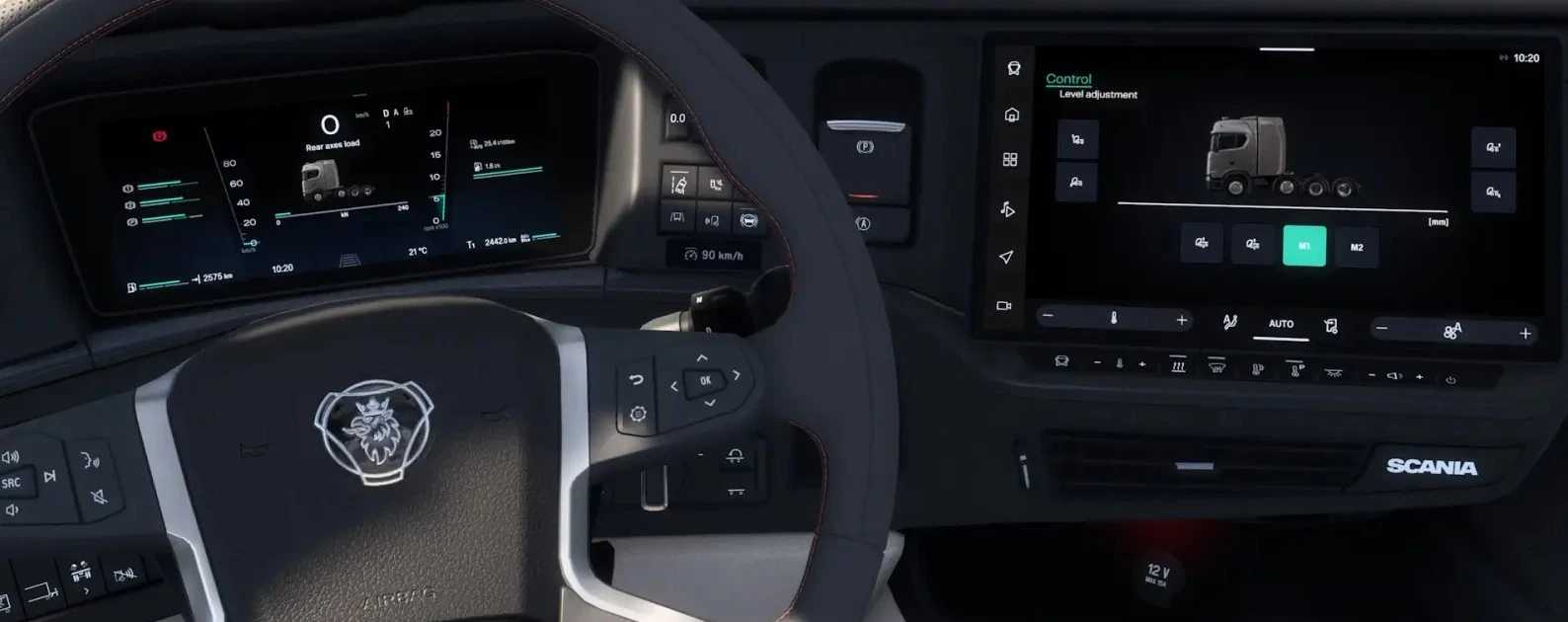
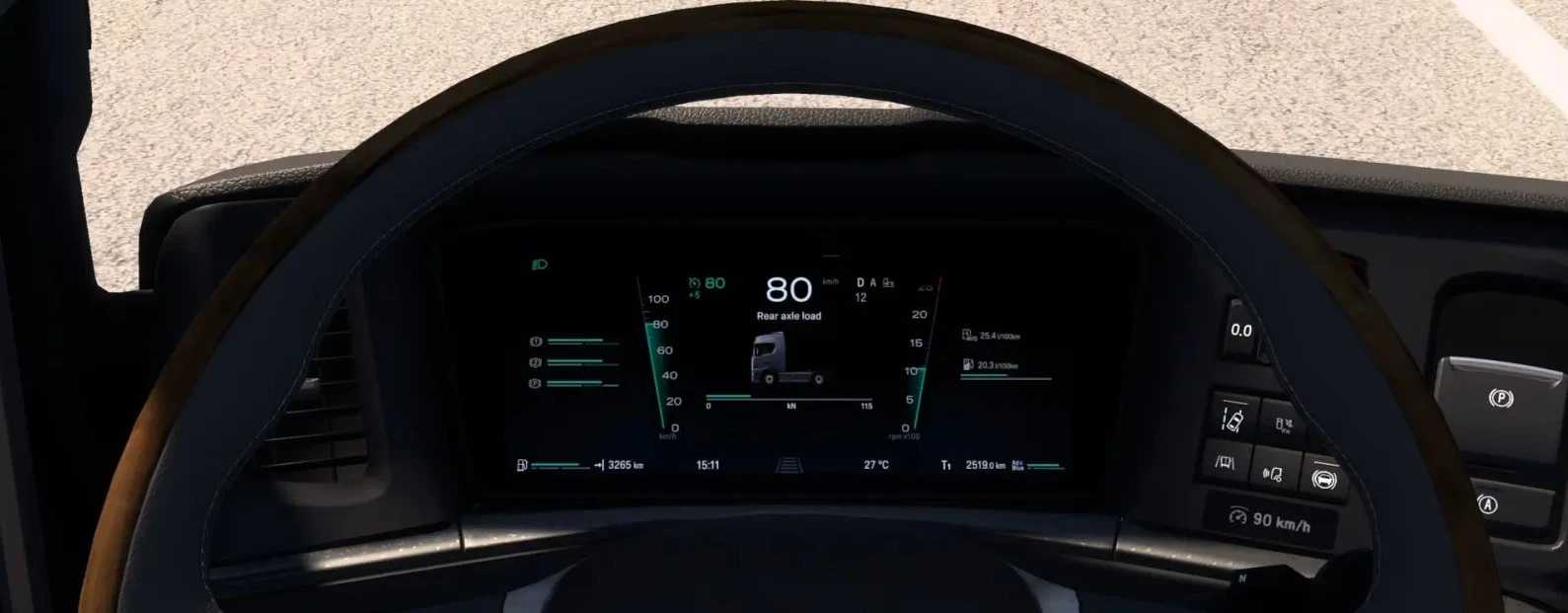
Scania NG Improved Dashboard v1.60 ETS2
Added odometer (in Notifications tab)
Added low beam icon
Added left/right blind spot indicators
Added truck/trailer axles indicators
Added remaining fuel gauge
Added cruise control memory icon & tolerance gauge
Added trip time gauge
Added oil temperature & turbo pressure bars
Darkening effect for max values on tachometer/speedometer
Page titles & Scania logo integration
Rear axle load page & suspension load bar
New interiors for R/S High Roof cab (2/3/4-axle, Super/770 variants)
Speed limit gauge, ETA, and time until rest on infotainment
3 new decorative infotainment pages; rebuilt structure
Updated cruise control/transmission blocks
Improved warning sounds
Various fixes & improvements
Tested for 1.60 game version
Credits: KnightRider, AMYLECH
How to install ETS2 mods or ATS Mods
In Euro Truck Simulator 2 it’s easy to install mods. You just need to download mod from here, copy/unzip files into: “My Documents\Euro Truck Simulator 2\mod” folder or if you play ATS please install mods to: “My Documents\American Truck Simulator\mod” folder. To unzip files you can use: WinRAR or 7zip. After that you need to activate the mods you want to use.