CMA 2K19 v1.0 ETS2
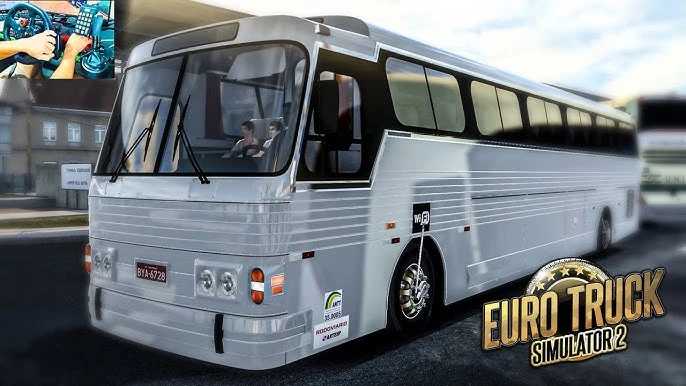

CMA 2K19 v1.0 ETS2
The “CMA 2K19” you’re referring to is likely a bus mod for Euro Truck Simulator 2 (ETS2). These mods are very popular in the ETS2 community, especially in Brazil, and allow players to drive various bus models with detailed interiors, realistic sounds, and custom animations.
Here’s what you should know about the CMA 2K19 ETS2 mod:
What is the CMA 2K19 Mod?
The CMA 2K19 mod brings a specific bus model, often referred to as “CMA Flecha,” into Euro Truck Simulator 2. These mods are typically created by third-party developers and aim to provide a highly immersive driving experience for bus enthusiasts within the game. They often feature:
Detailed Interiors: Realistic dashboards, animated pedals, and openable doors/windows.
Authentic Sounds: Engine sounds, horn, and other bus-specific audio.
Customization Options: Different skins (liveries), interior upholstery, GPS positions, and even options for open or closed cabins.
Compatibility: These mods are regularly updated to work with newer versions of ETS2. For example, some versions of the CMA Flecha mod are compatible with ETS2 versions 1.51.x, 1.52.x, 1.53.x, 1.54.x, and 1.55.x.
To install a mod, you usually need to:
Download the mod file: This is usually a .scs file.
Place it in your ETS2 mod folder: This is typically located at Documents\Euro Truck Simulator 2\mod.
Activate the mod in-game:
Start Euro Truck Simulator 2.
From the main menu, go to “Mod Manager.”
Find the CMA 2K19 mod in the list and enable it (usually by double-clicking or moving it to the active mods column).
Confirm your changes.
You may need to create a new profile or purchase the bus from a dealer in-game, depending on the mod’s specifics.
Important Considerations
Compatibility: Always check the mod’s description for compatibility with your current ETS2 game version. Using an incompatible mod can cause crashes or glitches.
Performance: Some highly detailed mods can impact game performance, especially on lower-end PCs.
Credits: club rotas
How to install ETS2 mods or ATS Mods
In Euro Truck Simulator 2 it’s easy to install mods. You just need to download mod from here, copy/unzip files into: “My Documents\Euro Truck Simulator 2\mod” folder or if you play ATS please install mods to: “My Documents\American Truck Simulator\mod” folder. To unzip files you can use: WinRAR or 7zip. After that you need to activate the mods you want to use.