Scania R NTG-LG.Mods v1.0 ETS2
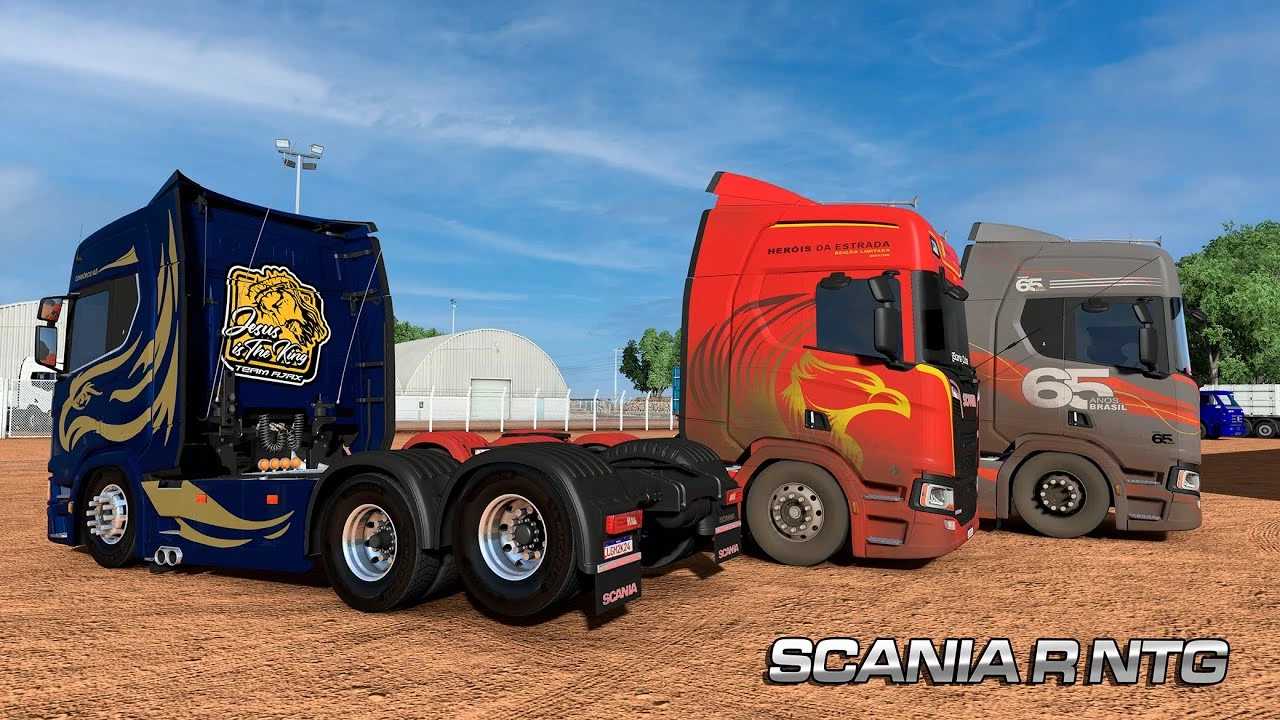

Scania R NTG-LG.Mods v1.0 ETS2
You’re looking for information on the Scania R & S Next Gen truck mod for Euro Truck Simulator 2 (ETS2) by LG Mods. This is a popular and highly detailed mod that significantly expands on the in-game Scania Next Generation trucks.
What is the LG Mods Scania R NTG (Next Generation) Mod?
The LG Mods Scania R & S Next Gen is a comprehensive truck mod for ETS2 that enhances and adds a lot of customization options to the default Scania Next Generation R and S series trucks. It often includes:
Extensive Customization: A wide array of tuning parts, accessories, and customization options for both the exterior and interior. This can include different chassis configurations (e.g., 4×2, 6×2, 6×4, 8×4), various cabin options (Normal, Highline, Topline, etc.), a multitude of accessories like sunshields, side skirts, fenders, light bars, and much more.
Unique Features: Depending on the specific version and updates, these mods often bring unique elements like custom interiors, improved lighting, and sometimes even specific engine and sound packages.
Compatibility: LG Mods usually strives for compatibility with various game versions, but as ETS2 constantly updates (the latest being 1.55 as of now), it’s crucial to ensure you’re using a version of the mod that matches your game.
Brazilian-Style Content: Given that LG Mods often caters to the Brazilian ETS2 community, you might find options and styles that are popular in Brazil, such as certain types of lights, accessories, and paint jobs.
How to Install the Mod
Installing ETS2 mods is generally straightforward:
1. Download the Mod: Once you’ve downloaded the mod, it will typically be in a `.scs` file format. Sometimes it might be a compressed file (like .zip or .rar) containing one or more `.scs` files.
2. Locate Your Mod Folder:
Navigate to your Documents folder.
Find the Euro Truck Simulator 2 folder.
Inside, you’ll see a folder named mod. If it doesn’t exist, create it.
3. Place the Mod File: Copy (or drag and drop) the `.scs` file(s) into the `mod` folder.
4. Activate in Game:
Launch Euro Truck Simulator 2.
From the profile selection screen, click on Mod Manager.
Find the LG Mods Scania R NTG mod (it usually has a distinct icon or name).
Double-click it or click the arrow to move it to the “Active Mods” list on the right.
Ensure the mod is placed high in the priority order in the Mod Manager, especially if you’re using other graphical or truck-related mods, to avoid conflicts.
Click Confirm Changes.
5. Purchase in Game: Go to a Scania Truck Dealer in the game, or a Mod Dealer, to purchase and customize your new Scania R NTG truck.
Compatibility
Game Version: Always check the mod’s description or the creator’s video/page for the ETS2 version it’s compatible with. Using a mod designed for an older version on a newer game version can cause crashes or visual glitches. With ETS2 1.55 being very recent, an older version of the mod might not work correctly.
Other Mods: Large truck mods can sometimes conflict with other mods, especially those that alter the default Scania trucks, sound mods, or map mods if not placed correctly in the Mod Manager’s priority list.
If you’re having trouble finding the latest version for ETS2 1.55, I recommend checking recent videos from LG Mods or other popular Brazilian ETS2 YouTubers, as they often release updated versions shortly after a major game patch.
Credits: lg
How to install ETS2 mods or ATS Mods
In Euro Truck Simulator 2 it’s easy to install mods. You just need to download mod from here, copy/unzip files into: “My Documents\Euro Truck Simulator 2\mod” folder or if you play ATS please install mods to: “My Documents\American Truck Simulator\mod” folder. To unzip files you can use: WinRAR or 7zip. After that you need to activate the mods you want to use.