Marcopolo G7 1050 v1.0 ETS2

Marcopolo G7 1050 v1.0 ETS2
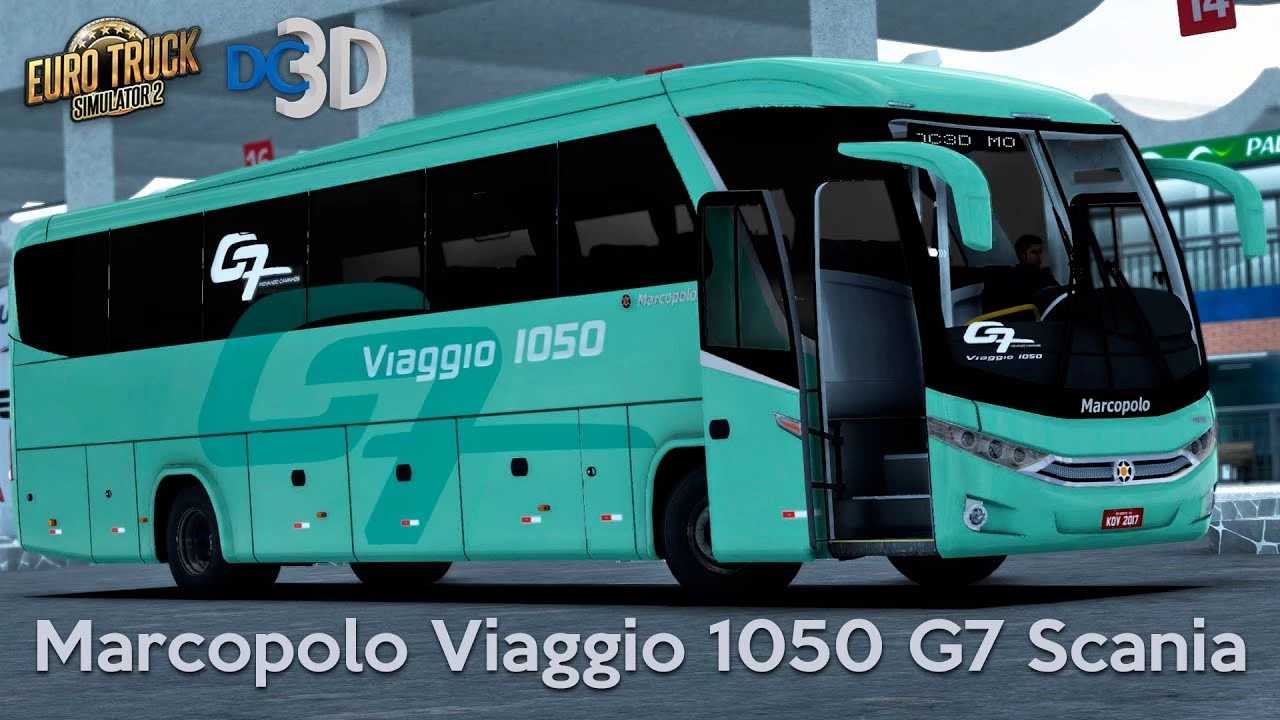
The Marcopolo G7 Viaggio 1050 mod for Euro Truck Simulator 2 (ETS2) is one of the most popular and sought-after buses by the Brazilian community of the game. It represents a real model from Marcopolo, a Brazilian bus manufacturer, and offers a more immersive simulation experience for those who enjoy driving buses in ETS2.
What to Expect from a Mod
A good Marcopolo G7 Viaggio 1050 mod usually offers:
Detailed Modeling: A faithful representation of the real bus, both exterior and interior, with high-quality textures.
Multiple Chassis Configurations: The mod can come with chassis options (such as Scania 4×2, Mercedes-Benz O500RS, Volvo B340R) to simulate different versions of the bus.
Extensive Customization:
Skins: Various liveries of real or fictional bus companies.
Interiors: Color options for seats, curtains, interior flooring, and dashboard details.
Accessories: Digital signs, optional mirrors, interior and exterior lights, door and window animations.
Sounds: Realistic engine and gearbox sounds, specific to each chassis.
Animations: Some more advanced mods include passenger animations, tachograph, animated DVD, and even animated dirt.
Compatibility: It is crucial to check the compatibility of the mod with your Euro Truck Simulator 2 version (e.g. 1.34, 1.40, 1.44, 1.49, 1.52, 1.53, 1.54). Modders frequently update their work to the latest versions of the game.
How to Install the Mod
Download the file: The mod will come in .scs format.
Move to the mods folder: Copy the .scs file to the Documents\Euro Truck Simulator 2\mod folder.
Activate in the game: Launch ETS2, go to the “Mod Manager” in the main menu, find the Marcopolo G7 Viaggio 1050 mod, activate it (by moving it to the right column) and confirm the changes.
Buy the bus: In-game, go to a mod dealer (or the chassis brand dealer if the mod is integrated with one) to purchase and customize your bus.
Always choose to download mods from trusted sources to ensure the security of your files and the stability of your game.
Credits: CONVIVEU DO REI
How to install ETS2 mods or ATS Mods
In Euro Truck Simulator 2 it’s easy to install mods. You just need to download mod from here, copy/unzip files into: “My Documents\Euro Truck Simulator 2\mod” folder or if you play ATS please install mods to: “My Documents\American Truck Simulator\mod” folder. To unzip files you can use: WinRAR or 7zip. After that you need to activate the mods you want to use.