2 Facchine axles in brushed steel v1.0 ETS2
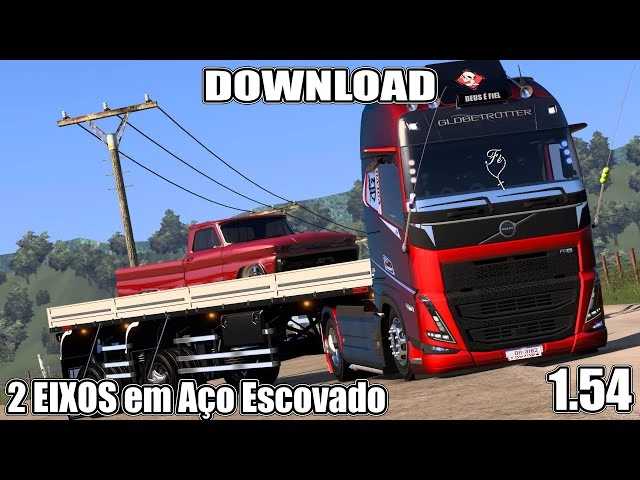

2 Facchine axles in brushed steel v1.0 ETS2
Many Euro Truck Simulator 2 (ETS2) players are looking for brushed steel 2-axle Facchini trailer mods to add more realism and variety to their gameplay.
There are several mod makers who have developed and made these types of trailers available. The “brushed steel” characteristic usually refers to the visual finish on the chassis and metal parts of the trailer, giving it a more realistic and polished look.
When looking for these mods, it is important to consider:
Game Version Compatibility: Make sure the mod is compatible with the current version of your Euro Truck Simulator 2. Game updates may break the functionality of older mods.
Quality and Optimization: Not all mods are created equal. Some may be more detailed and optimized, while others may cause performance drops or bugs. Check other users’ comments and ratings before downloading.
Installation Process: Typically, installing mods in ETS2 involves moving the .scs files to the game’s “mod” folder and activating them in the in-game mod manager. Many mod makers provide detailed instructions in their videos or download pages.
If you’re looking for a specific “2 Axle Facchini Brushed Steel” mod, I recommend searching platforms like YouTube for “ETS2 Facchini 2 Axle Brushed Steel mod” or “ETS2 Facchini trailer mod brushed steel” to find the latest and most compatible options.
Credits: FERNANDO GAMER
How to install ETS2 mods or ATS Mods
In Euro Truck Simulator 2 it’s easy to install mods. You just need to download mod from here, copy/unzip files into: “My Documents\Euro Truck Simulator 2\mod” folder or if you play ATS please install mods to: “My Documents\American Truck Simulator\mod” folder. To unzip files you can use: WinRAR or 7zip. After that you need to activate the mods you want to use.